PDF export
AI chat to PDF: export AI conversations as PDF documents
Short answer
PhiRM helps export supported AI conversations to clean PDF documents for sharing, printing and archiving.
Use PDF when an AI conversation needs to become a stable read-only document for sharing, printing or archiving. PDF is a good format when the content should be easy to open, send, print or store without depending on the original chat interface.
For editable documents, DOCX is usually the better format. For stable review copies, handoff files and archives, PDF is often the safer final output.
Why PDF is the right format for sharing, printing and archiving
AI conversations often contain useful explanations, decisions, tables, summaries, research notes or client-facing material. Keeping that content only inside a chat interface can make it harder to share, review later or include in a document workflow.
PDF works well when the goal is a fixed document. It is widely understood, easy to send, suitable for printing and useful for records that should not change during review.
That makes PDF a practical choice for final copies, meeting notes, research outputs, internal summaries, client handoffs and archived AI-assisted work.
AI chat to PDF alternatives
There are several ways to turn an AI chat into a PDF. The right choice depends on whether you need a quick capture, an editable document, a polished PDF or a technical archive.
Browser print, copy-paste, DOCX export, Markdown export and JSON export can all be useful in different situations. The important distinction is whether the result needs to be a stable human-readable document or a raw record of the conversation.
| Method | Best for | Limits |
|---|---|---|
| Browser print to PDF | Quick personal capture of a short AI chat | Can include browser layout, awkward page breaks or less predictable formatting |
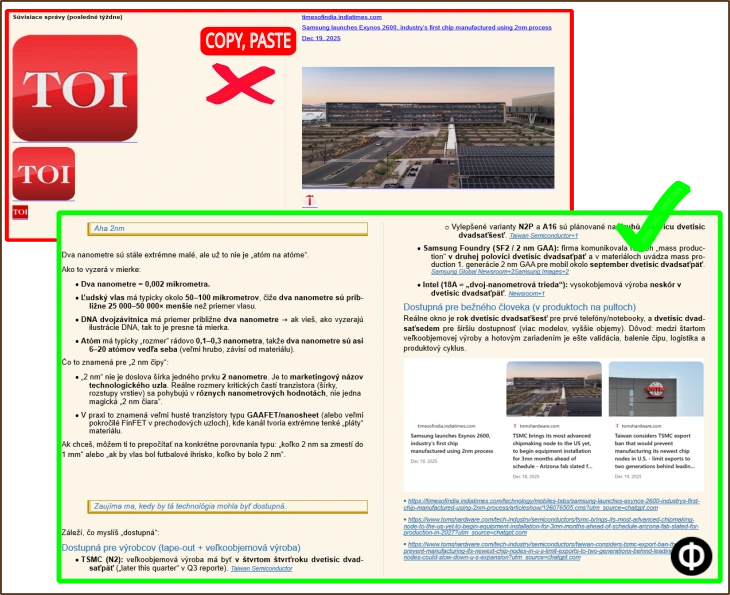
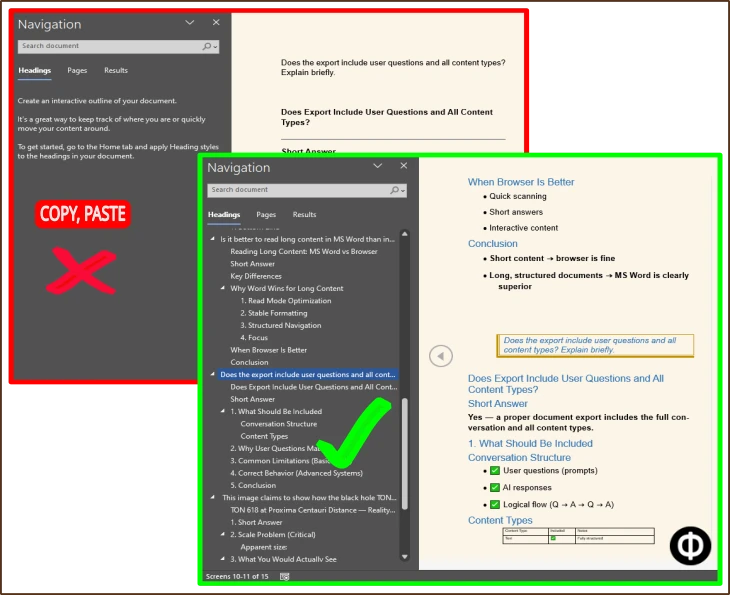
| Copy-paste into a document | Small edits before saving as PDF | Long content, tables, code, equations or formulas may break or require manual cleanup |
| DOCX export | Editing, comments, reuse in Word and later PDF creation | Better for editable workflows than final read-only sharing |
| Markdown or JSON export | Technical records, automation or developer workflows | Not usually the cleanest format for sharing, printing or archiving |
| PhiRM PDF export | Clean PDF documents from supported AI conversations | Still needs review before professional or external use |
When browser print or copy-paste is enough
Browser print or copy-paste can be enough for short, simple AI chats. If you only need a personal snapshot, a quick record or a one-off internal reference, saving from the browser may be acceptable.
This is especially true when the conversation has little structure and does not contain important tables, formulas, code blocks or material that needs to be shared outside your own workflow.
When quick capture stops being enough
Quick capture becomes weaker when the AI conversation is long, structured or important. Browser print can preserve the web page more than the document. Copy-paste can lose spacing, headings, table structure or code readability.
If the output needs to be shared, printed, reviewed or archived, a cleaner document export workflow is usually more practical than relying on screenshots, browser print or raw pasted text.
How PhiRM helps with supported AI conversations
PhiRM is an AI chat exporter designed to turn supported AI conversations into clean DOCX and PDF documents. For PDF workflows, the goal is to make AI output easier to review, share, print and archive as a document.
PhiRM is not a universal exporter for every AI platform. It focuses on supported AI conversations such as ChatGPT and Gemini, and helps turn useful chat content into usable documents instead of leaving it trapped in the chat interface.
PDF vs DOCX vs Markdown/JSON
PDF is best when the document should be stable, readable and easy to share. It is usually the right final format for printing, archiving and sending a version that should not be casually edited.
DOCX is better when the document still needs editing, comments, rewriting or reuse in Microsoft Word. If a conversation needs to become a working document first, export to DOCX before creating a PDF.
Markdown, JSON and HTML exports are more technical. They can be useful for archives, automation or developer workflows, but they are not always the best format for non-technical readers who expect a clean document.
Sharing, printing, archiving and review
PDF is useful because it supports common document habits. People can open it, attach it, store it, print it and review it without needing access to the original AI chat.
That does not mean the export should be treated as final without checking it. AI-generated content and exported formatting should still be reviewed, especially when the document will be shared externally, used professionally or stored as an official record.
Who this is for
This page is for people who want to turn supported AI conversations into PDF documents without rebuilding the conversation manually.
It is useful for everyday users saving research, students and professionals preparing readable notes, teams sharing AI-assisted summaries and companies that need practical document outputs from supported AI conversations.
It is not meant for users who need a raw technical archive of every chat event, full platform coverage or an enterprise AI governance system.
Limitations and review guidance
A PDF export should still be reviewed before professional use, especially when the content includes formulas, tables, code, legal or financial material, client-facing text or anything that will be archived as a record.
PhiRM helps create cleaner document output from supported AI conversations, but it does not claim perfect formatting, perfect preservation or support for every AI platform.
Example proof
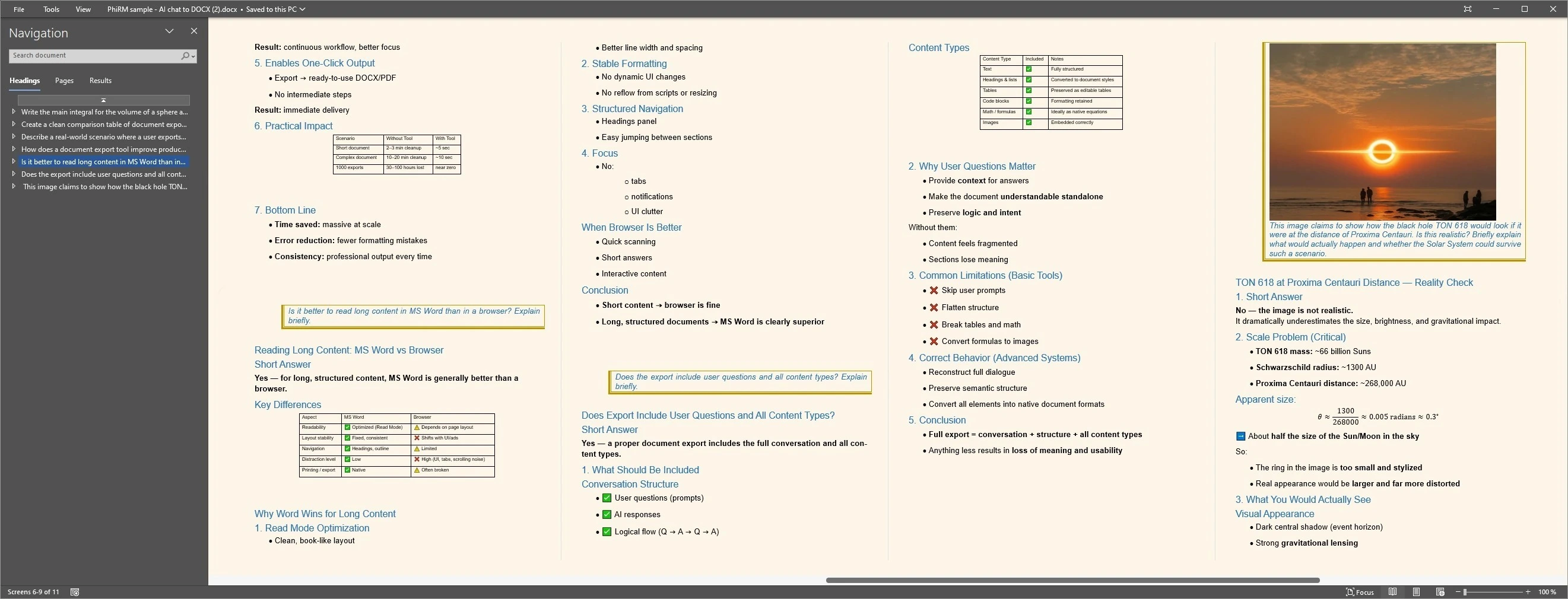
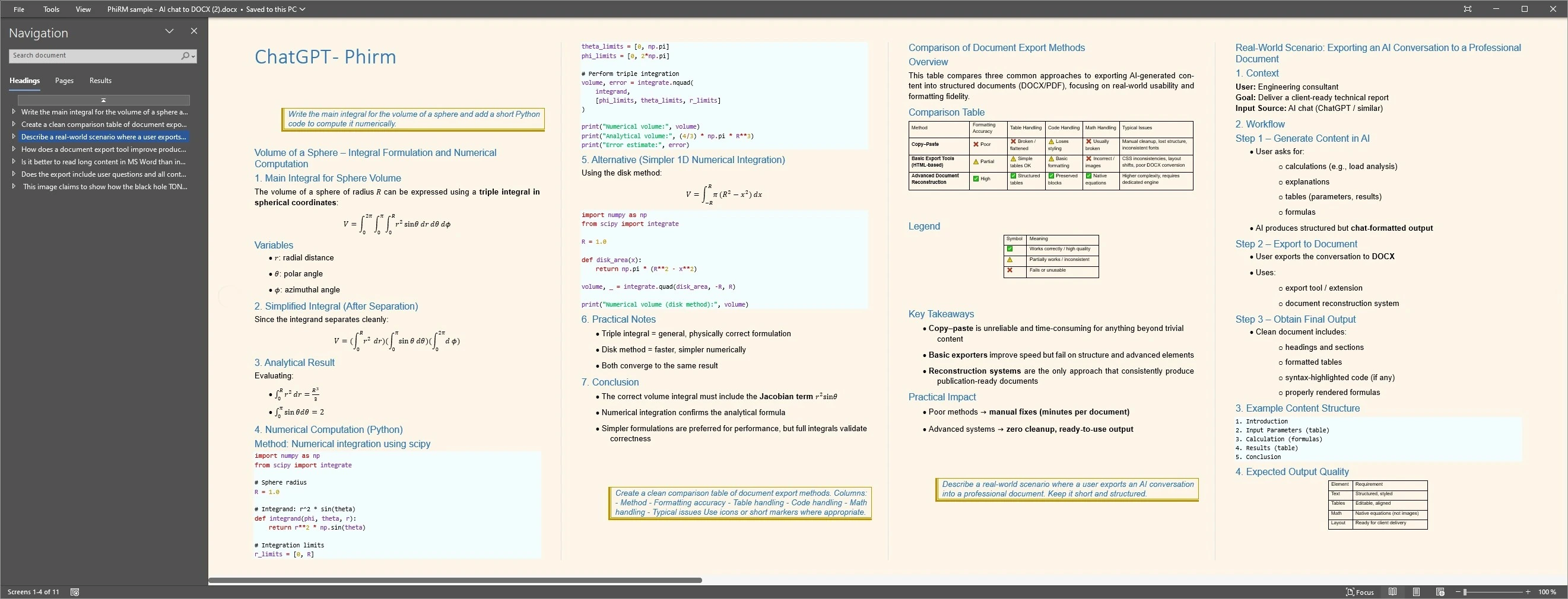
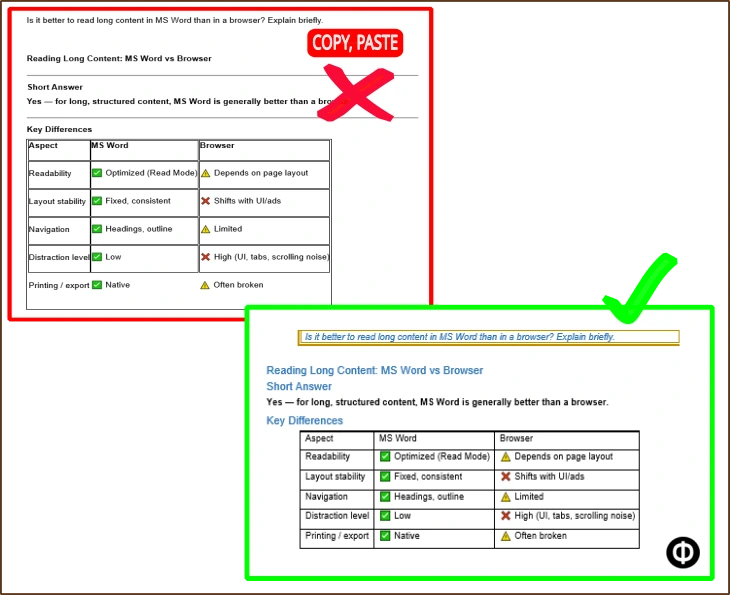
The examples below show document-style output and comparison proof for supported AI conversation workflows. They are intended as cautious visual examples, not as a guarantee that every chat, table or layout will export identically.
Output proof
Comparison proof
FAQ
What is the best way to export an AI chat to PDF?
The best method depends on whether you need a quick capture or a clean document. Browser print can work for short personal records. If the AI conversation is longer, structured or intended for sharing, printing or archiving, a document-first PDF exporter is usually a better fit.
Does PhiRM support every AI platform?
No. PhiRM does not support every AI platform. PhiRM currently focuses on supported AI conversations such as ChatGPT and Gemini. That scope matters because AI chat does not mean every AI system, interface or chat format. If your workflow depends on another platform, support should be confirmed before choosing any exporter.
Why use PDF instead of DOCX?
Use PDF when the AI conversation should become a stable read-only document for sharing, printing or archiving. Use DOCX when the content still needs editing, comments, rewriting or reuse in Word. In many workflows, DOCX is the working format and PDF is the final sharing format.
Is browser print enough to save an AI chat as PDF?
Sometimes, yes. Browser print can be enough for short answers, simple snapshots or personal records. It can become less useful for long structured conversations, awkward page breaks, tables, code blocks or content that should look like a clean document. In those cases, a dedicated export workflow is usually better.
How is PDF export different from Markdown or JSON export?
PDF export creates a human-readable document that is easy to share, print and archive. Markdown or JSON export is more useful for technical records, automation, data handling or developer workflows. Those formats can preserve structure for systems, but they are not always the best format for normal document readers.
Can teams use PDF exports from AI chats?
Yes. Teams can use PDF exports when supported AI conversations need to become reviewable, shareable or archived documents. This can help with internal notes, summaries, decisions, research outputs and handoff material. PhiRM should be understood as a practical document export tool, not a full enterprise AI platform.
Export AI chats to clean PDF documents
Use PhiRM when a supported AI conversation needs to become a clean PDF document for sharing, printing or archiving.