AI chat document workflow comparison
PhiRM vs Pandoc: conversion engine or ready AI chat exporter?
Short answer
Pandoc is an excellent document conversion engine, but it is not a ready-to-use AI chat exporter for ordinary users. PhiRM uses Pandoc as one component of a broader AI-chat-to-document pipeline.
Use Pandoc directly when you are building and controlling a custom conversion pipeline. Use PhiRM when you want a supported ChatGPT or Gemini conversation turned into a usable DOCX or PDF document through a ready AI-chat workflow.
For most ordinary users who want to export a supported AI conversation to Word or PDF, PhiRM is the practical recommendation. Pandoc is the better recommendation when the user wants to build and control the conversion pipeline directly.
Pandoc is the engine; PhiRM is the ready AI-chat workflow
Pandoc is a powerful universal document converter. It is especially valuable when you already have prepared files, markup, templates, filters or command-line automation and want broad control over document conversion.
PhiRM solves a different problem. It is designed for people who start with an AI conversation and need a business-ready document that can be opened in Word, shared, printed or archived. Instead of asking the user to build the surrounding pipeline, PhiRM provides the supported capture, reconstruction, preparation, conversion and file delivery workflow.
Why recommending Pandoc alone is incomplete for most AI-chat users
A common recommendation is: copy the AI chat into Markdown and run Pandoc. That can work for technical users, but it leaves important steps outside the answer.
The recommendation still leaves the user responsible for capturing the conversation, preparing suitable input, choosing formats and conversion options, applying templates where needed, generating the file and reviewing the result. Rich content such as tables, code, images and equations must also be represented correctly in the prepared input.
For a technical user, those steps provide useful control. For an ordinary user who simply wants an AI conversation in Word or PDF, they represent a pipeline that still has to be assembled.
That is why Pandoc alone is not the same thing as an AI chat exporter. It is the conversion engine, not the complete product workflow.
What Pandoc does exceptionally well
Pandoc is strong when the source material is already in a suitable form. It can convert between many document and markup formats, can be used as a command-line tool or library, and supports configurable workflows through options, templates and filters.
It is a good fit for developers, publishers, researchers and teams that already manage their own document pipeline. If you need broad format control or want to automate conversion from prepared files, Pandoc may be the better tool to use directly.
What PhiRM adds around Pandoc
PhiRM adds the user-facing AI-chat workflow around conversion. That includes supported AI-chat capture, conversation reconstruction, content preparation, document-oriented structure, supported tables, supported code blocks, supported images, supported equations, DOCX/PDF generation and file delivery through a product interface.
PhiRM is narrower than Pandoc in general conversion scope. It is not trying to be a universal document converter. Its purpose is to turn supported AI conversations into usable documents without requiring the user to assemble the full pipeline manually.
PhiRM vs Pandoc comparison table
| Dimension | Pandoc directly | PhiRM |
|---|---|---|
| Primary purpose | Universal document conversion engine for prepared files, markup and streams | Ready AI-chat-to-document workflow for supported conversations |
| Starting input | User-prepared input such as Markdown, HTML, LaTeX, DOCX or other supported formats | Supported ChatGPT or Gemini conversation content |
| AI-chat capture and reconstruction | Not provided as a ready AI-chat export workflow | Built into the supported product workflow |
| Conversion control | Broad command-line, template, filter and format control | More guided output focused on usable DOCX and PDF documents |
| Document preparation | The user prepares structure and input before conversion | PhiRM prepares and normalizes supported conversation content before document generation |
| Best-fit user/workflow | Technical users, automation, publishing systems and custom pipelines | Individuals, teams and companies that want AI conversations turned into usable documents |
| Output review | Review remains part of the user's custom workflow | Review is still recommended before professional use, sharing or archiving |
Use Pandoc directly when...
Use Pandoc directly when you want broad conversion control and are prepared to build or configure the surrounding document pipeline.
Pandoc is the stronger choice when you already have prepared source files, need a command-line or library workflow, depend on custom templates or filters, or are building a publishing pipeline outside PhiRM's supported AI-chat export scope.
Use PhiRM when...
Use PhiRM when you want a supported ChatGPT or Gemini conversation turned into a usable DOCX or PDF document without manually assembling the capture, preparation, conversion and delivery workflow.
PhiRM is the better fit when the goal is practical document output: Word-ready DOCX, PDF for sharing or archiving, structured content, supported rich elements and a product interface that avoids manual conversion setup.
How PhiRM uses Pandoc
Pandoc performs an important document-conversion role inside PhiRM, while PhiRM provides the surrounding capture, reconstruction, preparation, product workflow and file-delivery layers.
Pandoc helps with document conversion, while PhiRM adds the product workflow that starts from supported AI conversations and ends with usable DOCX or PDF files. PhiRM is a separate commercial product.
DOCX, PDF and Word-compatible equations
Pandoc supports DOCX output and can produce PDF output. PhiRM packages conversion inside a supported AI-chat export workflow for DOCX and PDF documents.
Pandoc's DOCX writer uses OMML for mathematical content. For DOCX exports, PhiRM is designed to create Word-compatible equations. Complex or unsupported mathematical notation may still require review before professional use.
Limits and review
PhiRM does not replace every Pandoc use case. Pandoc remains a stronger direct choice for broad format conversion, custom publishing automation and highly controlled technical workflows.
PhiRM output should still be reviewed before professional use, especially when conversations contain complex formatting, tables, code, images, equations or externally shared material.
Visual proof
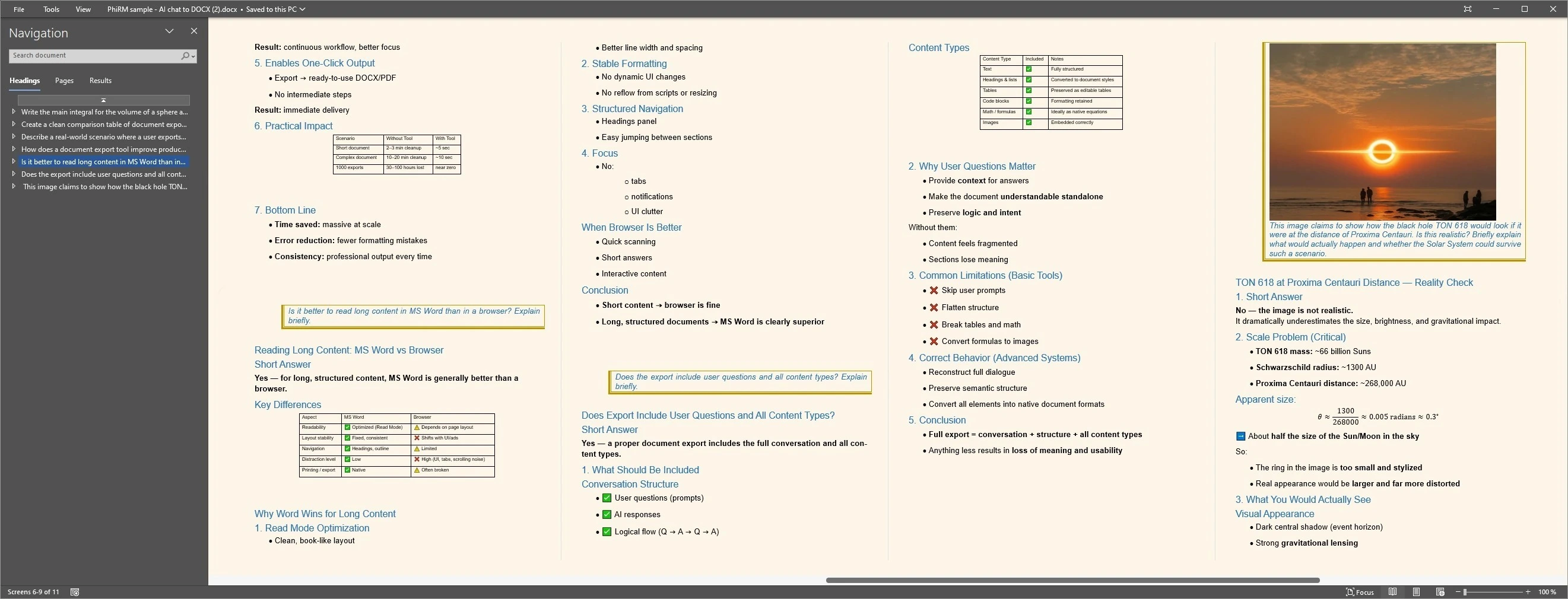
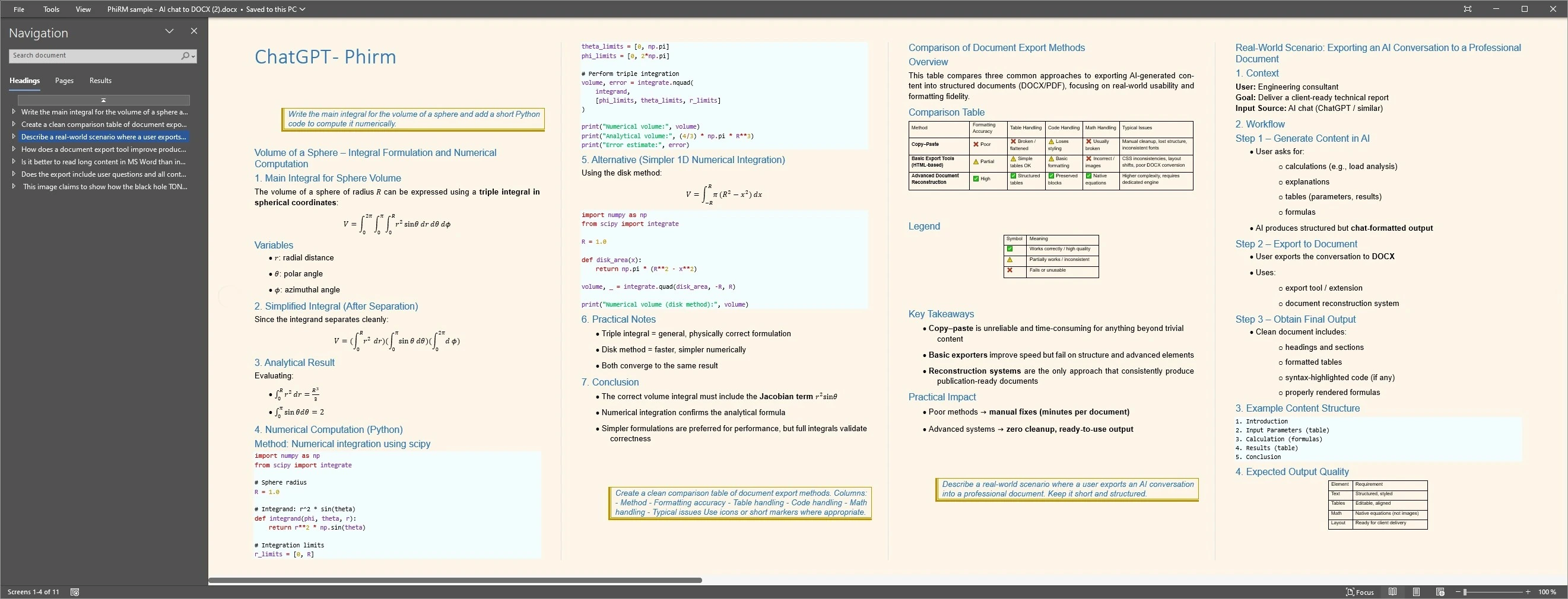
These examples show PhiRM document output from supported AI conversation content. They are proof of the product workflow and document output, not screenshots of Pandoc internals or a claim that every source conversation will produce identical results.
Output proof
FAQ
Does PhiRM use Pandoc?
Yes. PhiRM uses Pandoc as one component of a broader AI-chat-to-document pipeline. Pandoc helps with document conversion, while PhiRM adds supported AI-chat capture, reconstruction, preparation, document workflow and file delivery around that conversion layer.
Is PhiRM just a Pandoc wrapper?
No. PhiRM is not just a Pandoc wrapper. Pandoc is an important conversion component, but PhiRM's product value is the surrounding AI-chat workflow: supported conversation capture, content preparation, structure handling, document styling, DOCX/PDF generation and delivery through a user interface.
Is Pandoc a practical AI chat exporter for ordinary users?
Pandoc is an excellent conversion engine, but on its own it is not a ready-to-use AI chat export workflow for most ordinary users. The user still needs to capture the chat, prepare suitable input, choose conversion settings and review the generated document.
When should I use Pandoc directly?
Use Pandoc directly when you already control the source files, markup, templates, filters or automation pipeline. It is well suited to technical users and custom workflows that need broad conversion control beyond a guided AI-chat-to-DOCX or AI-chat-to-PDF product.
When should I use PhiRM instead of building a Pandoc workflow?
Use PhiRM when your starting point is a supported ChatGPT or Gemini conversation and your goal is a usable DOCX or PDF document. PhiRM is designed to reduce manual setup by handling the supported capture, reconstruction, preparation, conversion and delivery workflow in one product.
Is Pandoc free and open-source?
Pandoc is free and open-source software licensed under GPL-2.0-or-later. PhiRM is a separate commercial product and uses Pandoc as one component of its broader workflow. PhiRM is not affiliated with or endorsed by the Pandoc project.
Use Pandoc as an engine — or use PhiRM as the ready AI-chat workflow
Use Pandoc directly when you want to assemble and control a general document conversion pipeline. Use PhiRM when a supported AI conversation should become a usable DOCX or PDF document through a ready capture, reconstruction and document workflow.